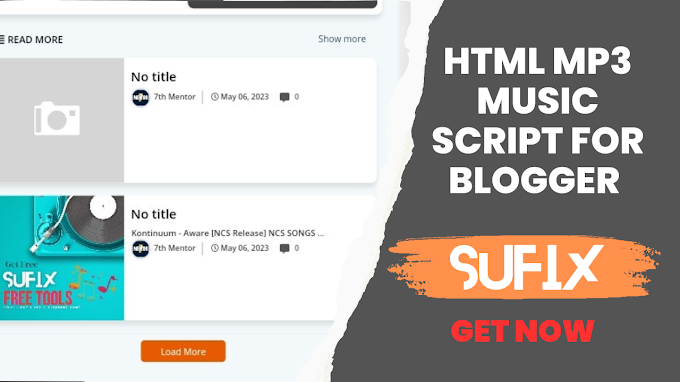
Advantages of card boxes in Blogger website posts
And a step-by-step guide to adding them to your posts
Introduction to Cards Books:
As a blogger, you constantly strive to engage your readers and enhance the visual appeal of your website. An effective way to achieve this is to include card boxes in your blog posts. Cardboard boxes are visually appealing and structural elements that can improve the user experience and make your content more organized. Today we will talk about card boxes and explore their benefits and provide a step-by-step guide on how to add them to your posts on the Blogger platform.
Advantages of card boxes:
1. Visual appeal: Card boxes are eye-catching design elements that can grab your readers' attention. Their organized layout combined with attractive visuals and comprehensive information can make your content more visually appealing and inviting to read.
2. Better readability: Card boxes offer clear separation between different sections of your blog post. By breaking up your content into easily digestible chunks, card boxes increase readability and help readers navigate through your post more efficiently.
3. Highlight key points: With card boxes, you can emphasize important information or key points in your blog post. Whether it's a summary, a call to action, or a noteworthy quote, placing such content in a card box can draw attention and ensure that important details aren't overlooked.
4. Better Organization: Cardboxes provide an organized framework for organizing your content. By categorizing related information into different cards, you can create a logical flow and improve the overall structure of your blog post.
5. Responsive Design: Cardboxes are highly adaptable and responsive, ensuring a seamless viewing experience across different devices and screen sizes. Whether your readers access your blog on a desktop, tablet, or mobile device, card boxes will automatically adjust while maintaining their visual appeal and functionality.
Adding Card Boxes to Your Blogger Posts:
Now, let's go through the steps to add card boxes to your blog posts on the Blogger platform:

Step 1: Login to your Blogger account.
Access your Blogger account using your login credentials. After logging in, you will be redirected to your Blogger dashboard.
Step 2: Create a new post or edit an existing post.
Choose whether you want to create a new blog post or edit an existing one. Select the relevant option from your blogger dashboard.
Step 3: Enter the post editor.
Once you've selected a post to work on, you'll be directed to the post editor. Here, you can compose your blog post content
Step 4: Insert the card box.
To add a card box, you can use the HTML/Javascript widget available in the Blogger post editor. This gadget allows you to insert custom HTML code.
Step 5: Customize the Card Box
Inside the HTML/Javascript gadget, you'll need to insert the necessary HTML and CSS code to create the desired card box. You can find pre-made card box templates online or create your own design using HTML and CSS.
Step 6: Preview and Publish
After customizing the card box to your liking, preview your post to make sure it appears as intended. If everything looks good, proceed to publish your blog post. The card box should now be visible inside the published post.
You can add beautiful cards boxes by copying the code in the above code boxes and pasting them in your post. In your blog post,
use this code and copy it .. ....................................................................................................
Benefit :
Card boxes are a valuable addition to your Blogger website, offering many benefits such as better visual appeal, better readability, effective information highlighting, and better organization of your content. By following the step-by-step guide outlined in this article, you can easily add card boxes to your blog posts and take your blogging experience to the next level. Use these eye-catching design elements to capture the hearts of your readers, improve their user experience and make your blog stand out.
Hope you like our article and given code scraps, keep visiting our website for more such great and informative articles,
And also keep giving us suggestions so that we can try to write more informative and useful articles for you and provide you with free scripts for the tools you need.